How to format a currency column in Power Apps with Dollar
Requirement: when a user retrieves data from the SharePoint list currency column and imports it into Power Apps, the column will display the data with the relevant currency format Initially….

Requirement: when a user retrieves data from the SharePoint list currency column and imports it into Power Apps, the column will display the data with the relevant currency format Initially….
Requirement: CountRows in gallery using label control in Power apps. Initially need to have a Sharepoint List “Ideas” Take a Blank screen Canvas App
Requirements: When the user click on data(gallery) CheckBox the main test CheckBox is on UnCheck, when it is on Check then the data CheckBox is on UnCheck. Firstly need to….
Requirement: Creating a Leave Request Approval Flow using SharePoint, Power Apps in Power Automate Flow. Initially need to create a Sharepoint List which need to connect with Power App to….
Requirement: Create animation to image, label using Button and Timer in Power Apps.
Requirement: How to display “Good Morning” or “Good Evening” tag on header in Power Apps with User Name 1.Select a ‘Text Label’ from the Insert options in power Apps screen….
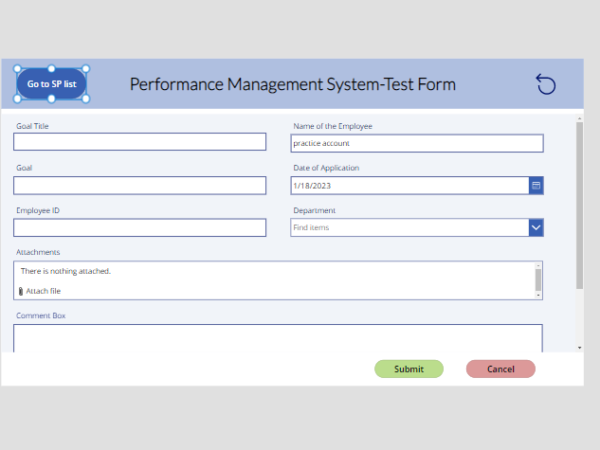
Requirement: Navigating or launch SharePoint list when click on button from PowerApps 1.Insert a button in the application [PowerApp] 2.Go to SharePoint list which you want to be launch the….
Requirement : Two type of Datacard visibility should be depend on dropdown Value, If the Values are “Yes” / “No”, ‘Datacard One’ to be displayed where ‘Datacard Two’ visible to….
One drive :- One Drive is the Microsoft cloud service that connects you to all your files. It lets you store and protect your files, share them with others, and….
An email screen In a canvas app that lets users send an email from their Office 365 Outlook account. Users can search for recipients in their organization and add external….