Power automate if array is empty
Requirement: check if the array is empty using Power Automate. Take a SharePoint list “Product List” Power automate if array is empty In Power Automate, Click on +create from Home….

Requirement: check if the array is empty using Power Automate. Take a SharePoint list “Product List” Power automate if array is empty In Power Automate, Click on +create from Home….
Requirement: how to use the equal function in if function with Power Automate. In Power Automate, Create an Instant Flow, Provide a name to the flow, select the Manually trigger….
Requirement: Power Automate if get items are empty. Take a SharePoint List as “Product List” Power automate if get items are empty In Power Automate,Create an Instant Flow, Provide a….
Requirement: Check if the field is blank or not in SharePoint using Power Automate or Microsoft Flow. Create a SharePoint list “ Project List “ . Then check the Last….
Requirement: Power automate flow creation using if expression variable In Power Automate Click on +create>Instant flow> select the Manually triggered Flow> provide a name for the flow> then click on….
Requirement: when a user submits the response from the Microsoft Form, it will convert the Form into PDF and store it in a specific SharePoint document library. Create a Microsoft….
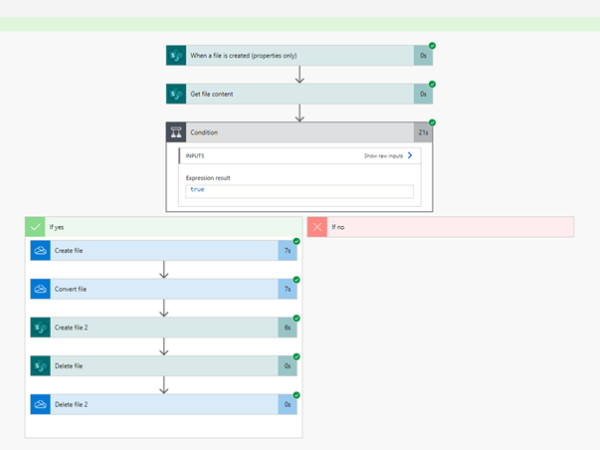
Requirement: when a user uploads an excel report to a document library, it will convert the excel report into PDF, store it in a specific SharePoint Document library, and remove that….
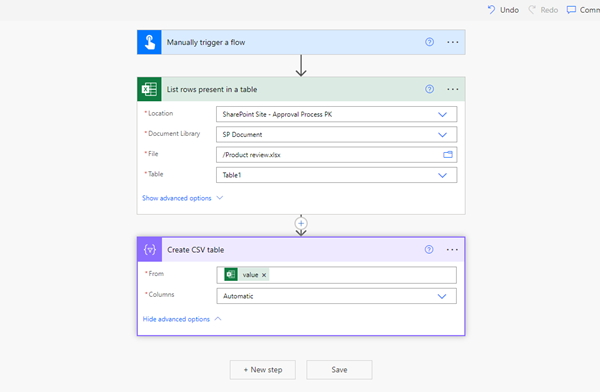
Requirement: Create a CSV table from an excel file using Power Automate. Initially create an excel sheet called the Product review excel sheet, which is used to create a CSV….
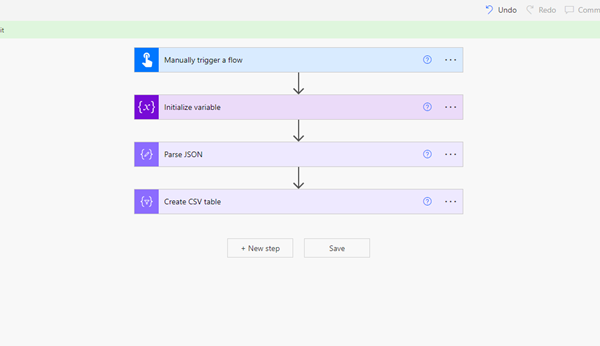
Requirement: Power Automate create a CSV table and then create a CSV file using Power Automate. Use the SharePoint list called EmployeeDetails list. Use this list to create a CSV file…..
Requirement: Create a CSV table custom columns using Power Automate. In Power Automate, select the Manually triggered flow, then click on the Next step. Power Automate create CSV table custom columns….