Display selected item in Gallery using another Gallery control
Requirement: There is Gallery1 and Gallery2,When a user clicks on particular items of gallery 1 that respective details to be displays in gallery 2. Instead of taking Form to display….

Requirement: There is Gallery1 and Gallery2,When a user clicks on particular items of gallery 1 that respective details to be displays in gallery 2. Instead of taking Form to display….
Requirement: Rename a file with date format using MS flow In SharePoint document library an excel file called Employee.xlsx. Now to rename the file to Personsheet with the current date….
Requirement: How to use Configure Run After in Power Automate flow The Configure “Run After” to almost all Power Automate actions by simply clicking on the three dots on the….
Requirement: If the cell is empty in MS Excel then create a Power Automate flow Take the product excel file and check the cell is empty or not. If empty….
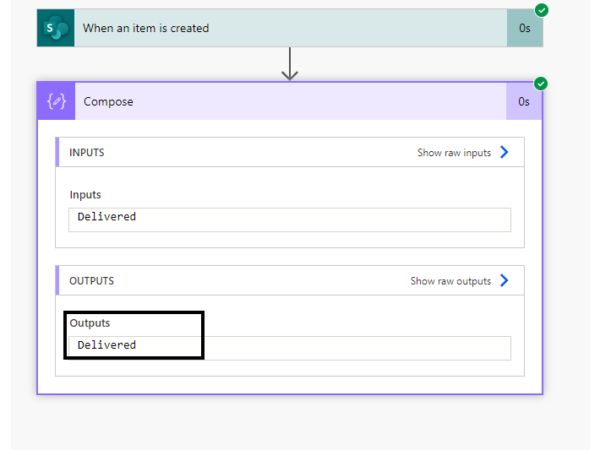
Requirement: Using if expression Boolean create a power automate flow. Create a SharePoint list named as “EmployeeDetails”. For if expression Boolean use Yes/No column as “Delivered”. In Power Automate, select….
Requirement: How to create a power automate if column is equal Create a SharePoint list “Task “.Here using a Choice column in this flow if the status in SharePoint list….
Requirement:Power Apps View A PDF Stored In A SharePoint Document Library Create a new SharePoint document library called SP Document and upload PDFs to it. Also upload at least one additional….
Requirement: how to automate the Employee onboarding process using Microsoft Flow or Power Automate. Create a SharePoint list “Employee Onboarding” and create a list as shown in below: Add a….
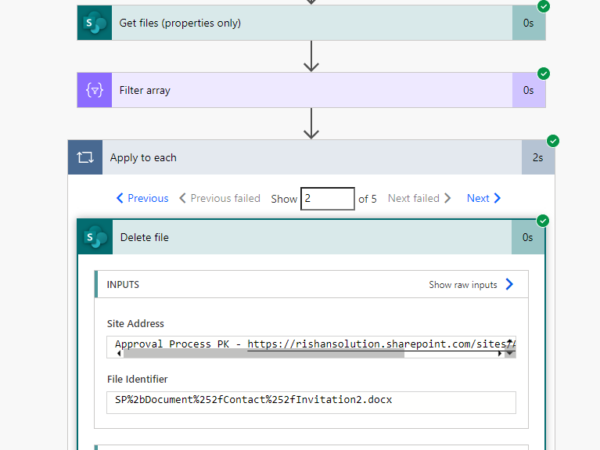
Requirement: how to delete files in SharePoint Folder using Power Automate or Microsoft Flow. Take a SharePoint Folder in the library called Contact, so create a flow that will delete….
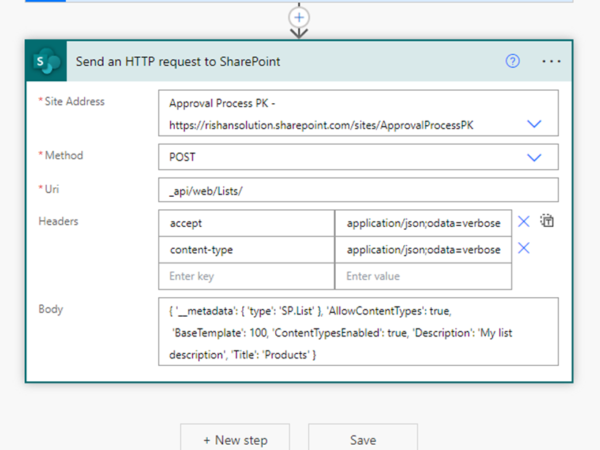
Requirement: how to create a SharePoint list dynamically using Power Automate. Click on +create a flow from Home page, click on Instant flow, Provide name to the flow, Select manually trigger….